Change your account details
Change the display name and the username of your account
Your display name and your username identify you in Wheelop, for example in the user menu.
Open your profile
- Select your name, at the bottom of the sidebar.
- Select Settings.
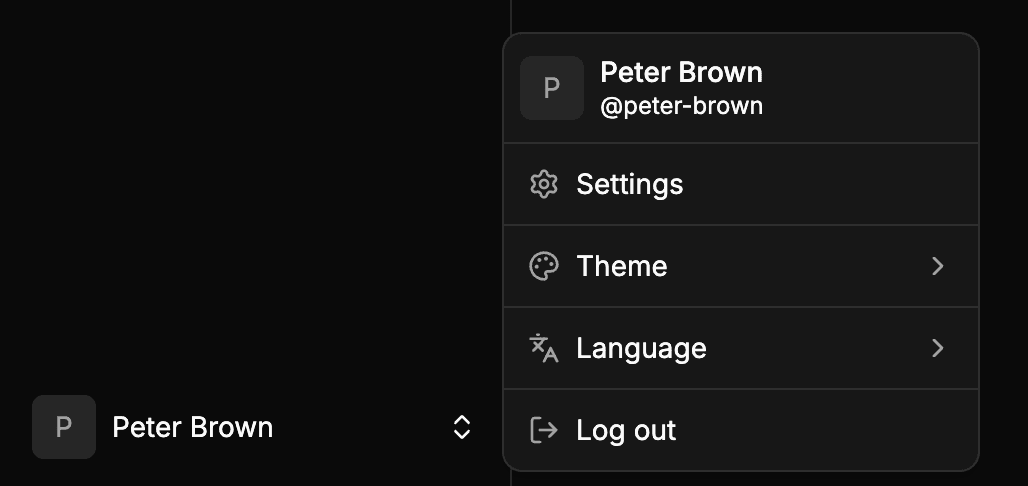
Wheelop opens User profile, in the settings.
Change your display name or your username
In the Profile section, edit the field you want to change:
- Display name: your name as shown in Wheelop. It can have up to 100 characters.
- Username: your unique identifier, shown after an
@. It can have up to 50 characters, and it is saved in lowercase, without accents and with hyphens between words:Peter Brownbecomespeter-brown. If another user already has it, Wheelop shows This username is already in use.
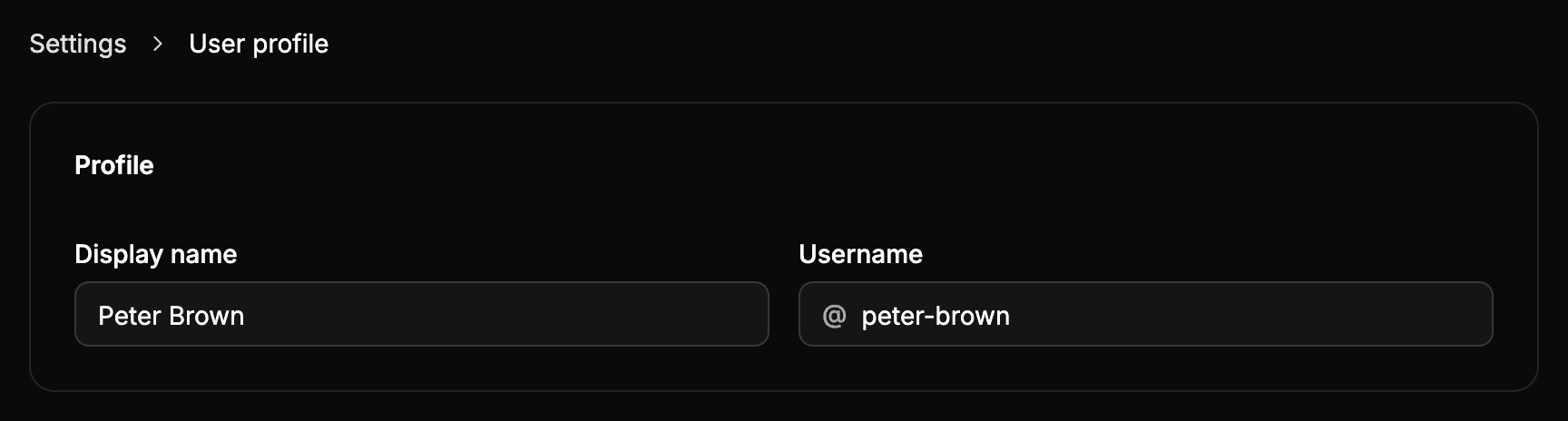
Each field is saved on its own when you leave it or press Enter, and a check mark appears next to it once it is saved.
The Email of your account, in the Account section, cannot be changed.