Switch the active workspace
Choose the workspace you work on
You always work on one workspace, the active workspace. Its name is shown at the top of the sidebar, and the reports, the credits and the settings you see are the ones of this workspace.
Switch to another workspace
- Select the name of the active workspace, at the top of the sidebar.
- In the list of your workspaces, select the one you want to work on.
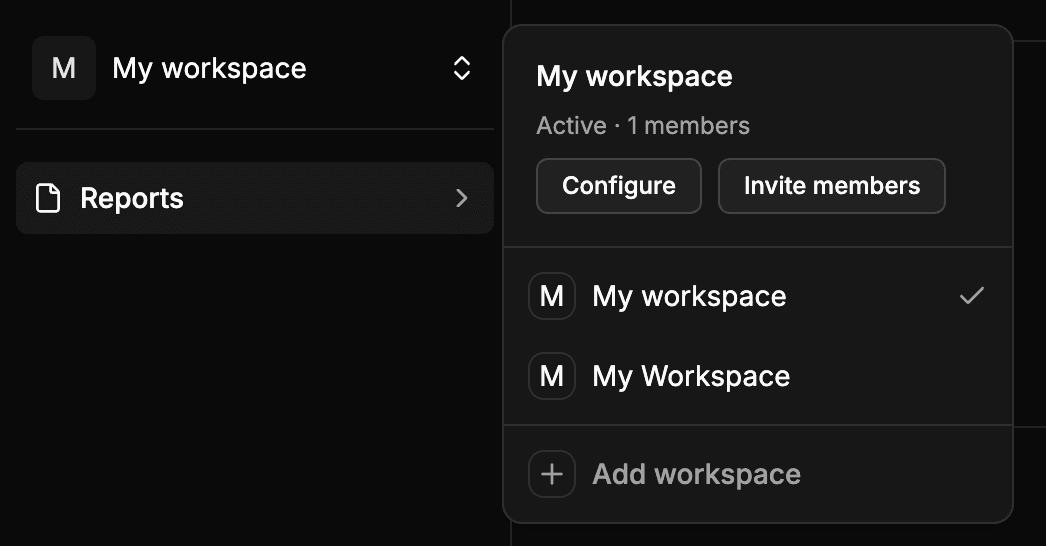
The selector shows:
- At the top, the name of the active workspace and its number of members.
- The list of the workspaces you belong to. The active one has a check mark.
- At the end, Add workspace, to create a new workspace.
When you switch, Wheelop loads the data of the new workspace: the reports, the credits and the settings change at once.
Which workspace opens when you come back
Wheelop remembers the last workspace you used in each browser, and opens it again the next time you come back. If that workspace no longer exists or you no longer have access to it, Wheelop opens the first workspace of your list.