Balance and movements
Check the available credits of the workspace and every purchase and use
The Credits page shows the balance of the active workspace and all its movements: every purchase of credits, every report created and any other change in the balance.
Check the balance
- Select your name, at the bottom of the sidebar, and then Settings.
- In the settings menu, select Credits.
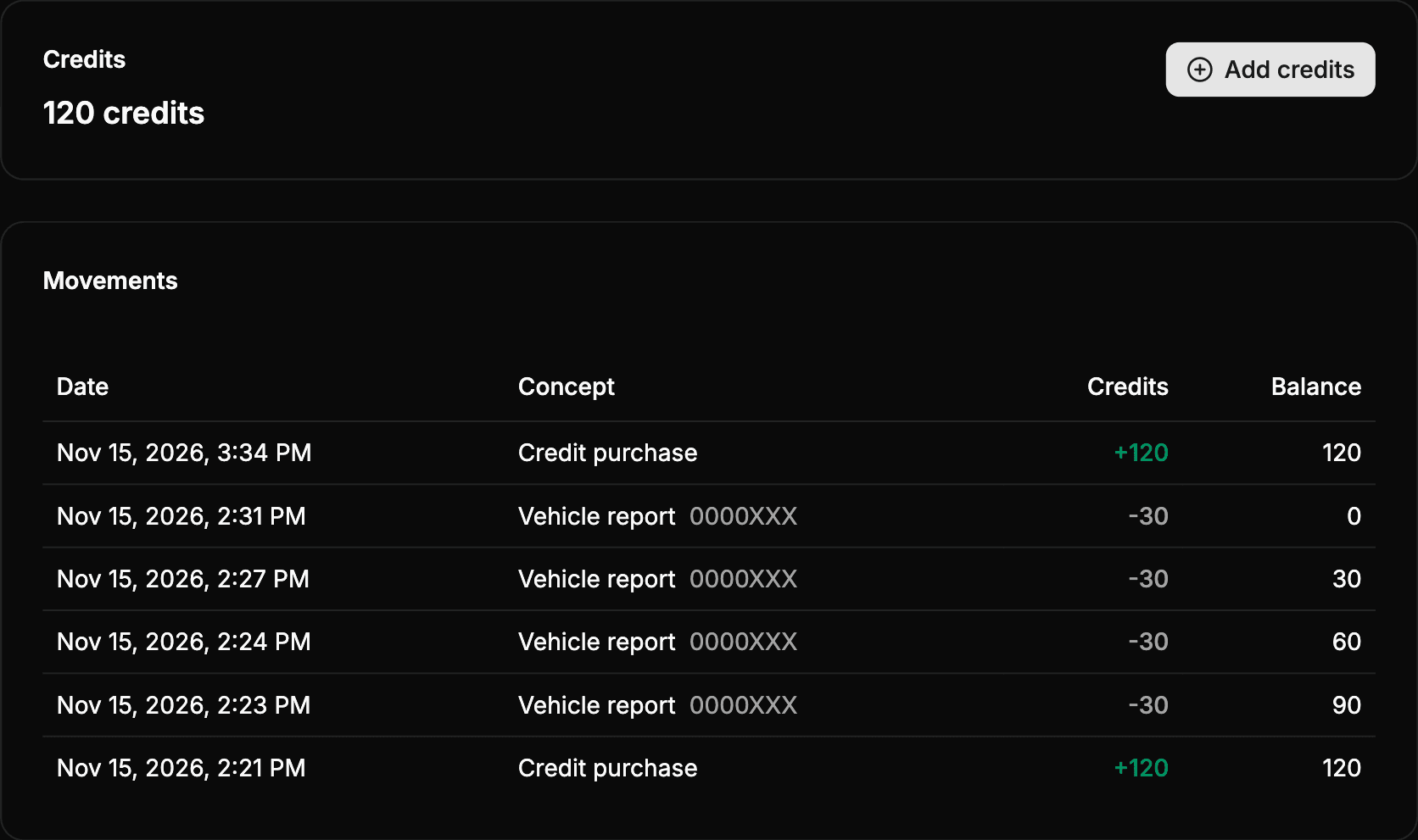
The balance is the credits you can use now. It does not include expired credits, or the credits reserved by a report that is being generated at that moment.
All the members of the workspace see the balance. The owner also sees the Add credits button, to buy credits.
If a change in the cost of reports is planned, a notice with the date and the new cost appears below the balance: From … a report will cost … credits. Reports created before that date keep the current cost.
Movements
The owner and the admins see, below the balance, the list of Movements, from the most recent one:
| Column | What it shows |
|---|---|
| Date | The day and time of the movement. |
| Concept | The type of movement. For reports, also their license plate. |
| Credits | The credits that come into (in green, with +) or go out of the balance. |
| Balance | The balance left after the movement. |
The list shows 10 movements. To see the previous ones, select Load more.
Types of movement
| Concept | What it means |
|---|---|
| Credit purchase | Credits bought. |
| Vehicle report | Credits used to create a report. Select it to open the report. |
| Refund | Credits removed because the money of a purchase has been refunded. |
| Chargeback | Credits removed because the bank has reversed the payment of a purchase. |
| Credits revoked | Credits removed from the balance for another reason. |
| Adjustment | A correction of the balance made by Wheelop. |
| Expiration | Credits that reached their expiration date without being used. |
When a movement could not move all its credits, the original amount is shown below the concept. For example, a refund only removes the credits of the purchase that have not been spent yet.
If the workspace has no movements yet, the list shows No movements.