Credit usage
Follow how the credits of each purchase are spent and when they expire
The Usage page shows each purchase of credits of the active workspace and how many of its credits have been used, have expired or are left. Use it to know which credits are about to expire and how much you have made of each purchase.
Only the owner and the admins of the workspace can see it.
Check the usage
- Select your name, at the bottom of the sidebar, and then Settings.
- In the settings menu, select Usage.
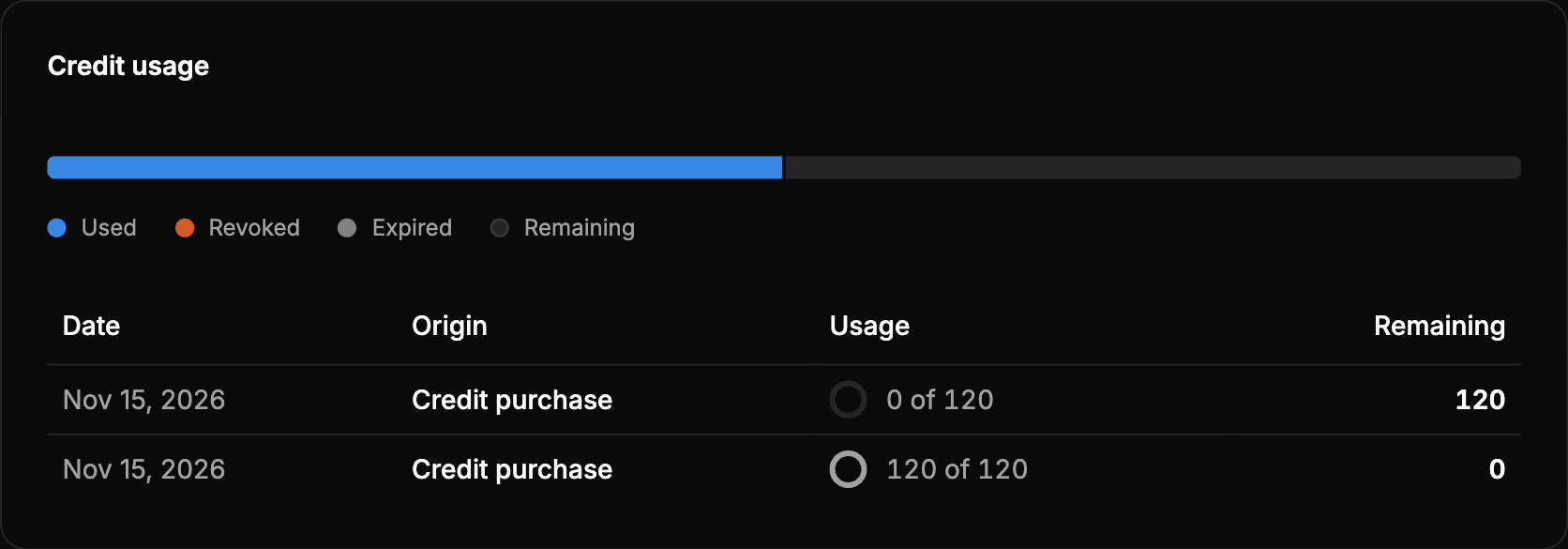
The top bar adds up the credits of all the purchases, split by their situation:
| Color | What it shows |
|---|---|
| Used | Credits used in reports. |
| Revoked | Credits removed by a refund, a chargeback or an adjustment. |
| Expired | Credits that reached their expiration date without being used. |
| Remaining | Credits you can still use. |
Hover over a section of the bar to see its credits and its percentage.
Below, the table shows a row for each purchase of credits, or for each adjustment made by Wheelop, from the most recent one:
| Column | What it shows |
|---|---|
| Date | The day the credits were received. |
| Origin | Credit purchase or Adjustment. |
| Usage | How many credits have been used out of the total received, with a circle that fills up as they are spent. |
| Remaining | The credits left to use. |
The list shows 10 rows. To see the previous ones, select Load more.
Check the details of a purchase
Select a row to open its details:
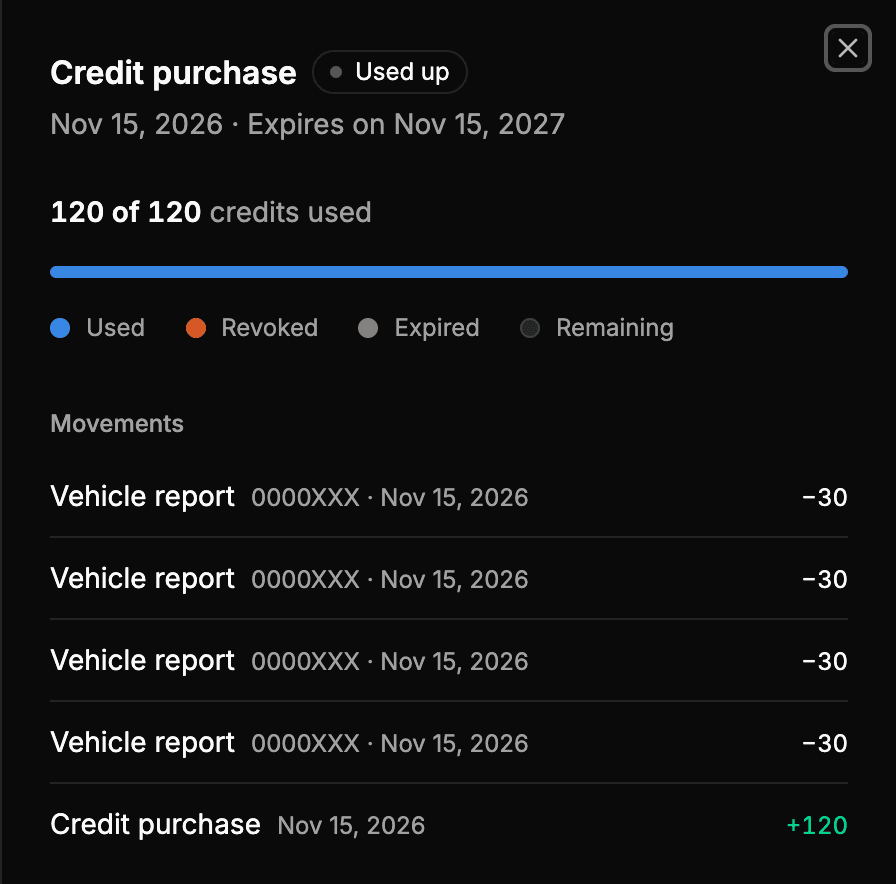
- Status of the purchase:
- Active: it has credits left to use.
- Used up: all its credits have been used.
- Expired: it has reached its expiration date.
- Revoked: all its credits have been removed.
- Date of the purchase and its expiration: Expires on …, or No expiration if its credits do not expire.
- Credits used out of the total, with a bar split like the one of the page.
- Movements: the reports and other movements that have used the credits of this purchase, with their license plate and their date. The last one is the purchase itself.
Keep in mind
- Each report spends first the credits that expire sooner, so a report can use credits of a purchase older than the last one.
- If you have not bought credits yet, the page shows No credits.