Payment methods
Save the cards you buy credits with and choose the default one
Payment methods are the saved cards of the workspace. When you buy credits you can choose one of them, without typing its details again.
The owner and the admins can see the payment methods, but only the owner can add them, change the default one or delete them.
Check the payment methods
- Select your name, at the bottom of the sidebar, and then Settings.
- In the settings menu, select Payment methods.
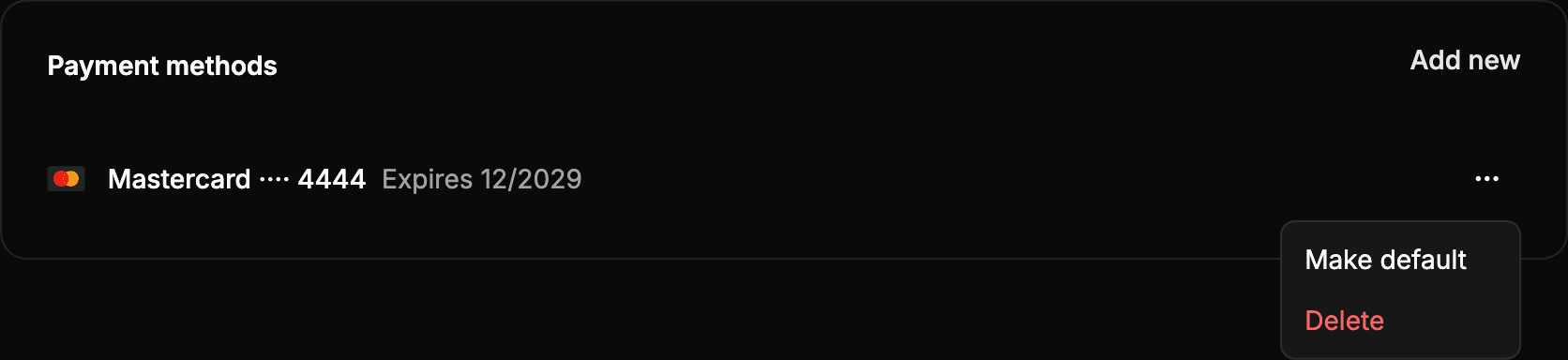
Each card shows its brand, its last four digits and its expiration date (Expires …). The default card has the Default label.
The full details of the cards are not stored in Wheelop: they are stored by Stripe, the payment provider.
Add a payment method
- Select Add new.
- Enter the details of the card.
- Select Save.
The first payment method you add becomes the default one. The cards you save when you buy credits also appear in this list.
Change the default payment method
In the row of the card, open the actions menu (⋯) and select Make default.
Delete a payment method
- In the row of the card, open the actions menu (⋯) and select Delete.
- Confirm with Delete.
The card is no longer available for your purchases. The payments already made with it do not change. If you delete the default card, make another one the default.
Keep in mind
- If there are no saved cards, the page shows No payment methods. You can still buy credits, entering the card when you pay.
- If an operation fails, the notice The operation could not be completed appears. Try again in a few minutes.