Overview
The identification of the vehicle, its main data and the alerts detected
The overview is the first section of the report. It identifies the vehicle and gathers the alerts that deserve your attention before reviewing the rest of the report.
Vehicle
The make, the model, the license plate and the VIN (chassis number) of the vehicle, with the logo of the make.

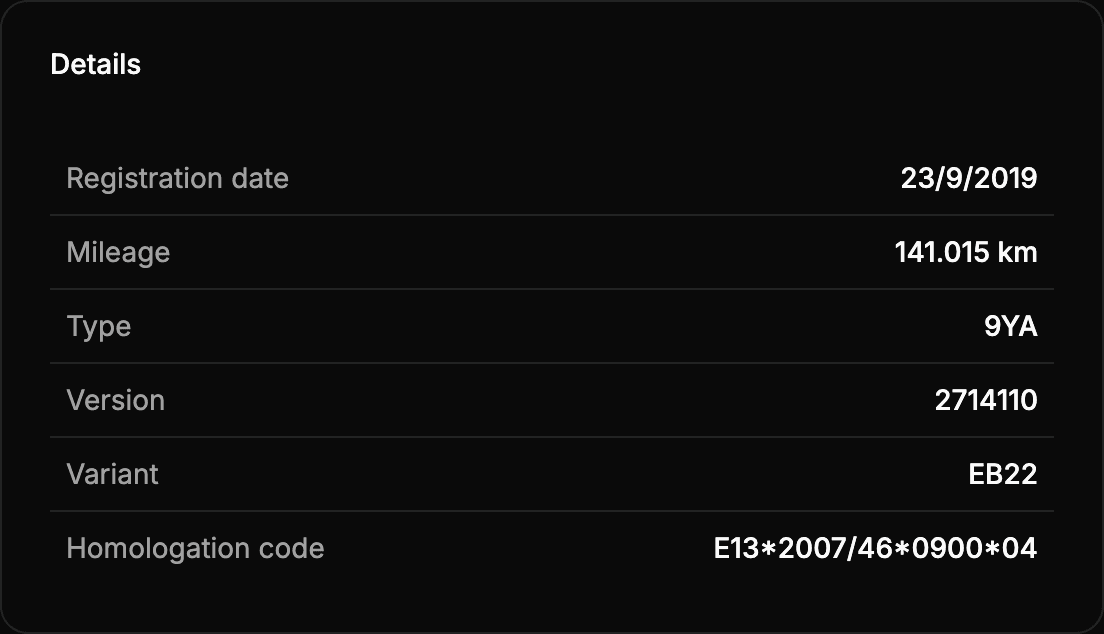
Details
The main data of the vehicle in the official register: when it was registered, its mileage and the data that identify its exact model.
| Data | What it is |
|---|---|
| Registration date | The date the vehicle was first registered. |
| Mileage | The latest known odometer reading. See Mileage. |
| Type, Version and Variant | The type approval data of the vehicle, which identify its exact model in the official register. |
| Homologation code | The European type approval code of the vehicle. |
Alerts
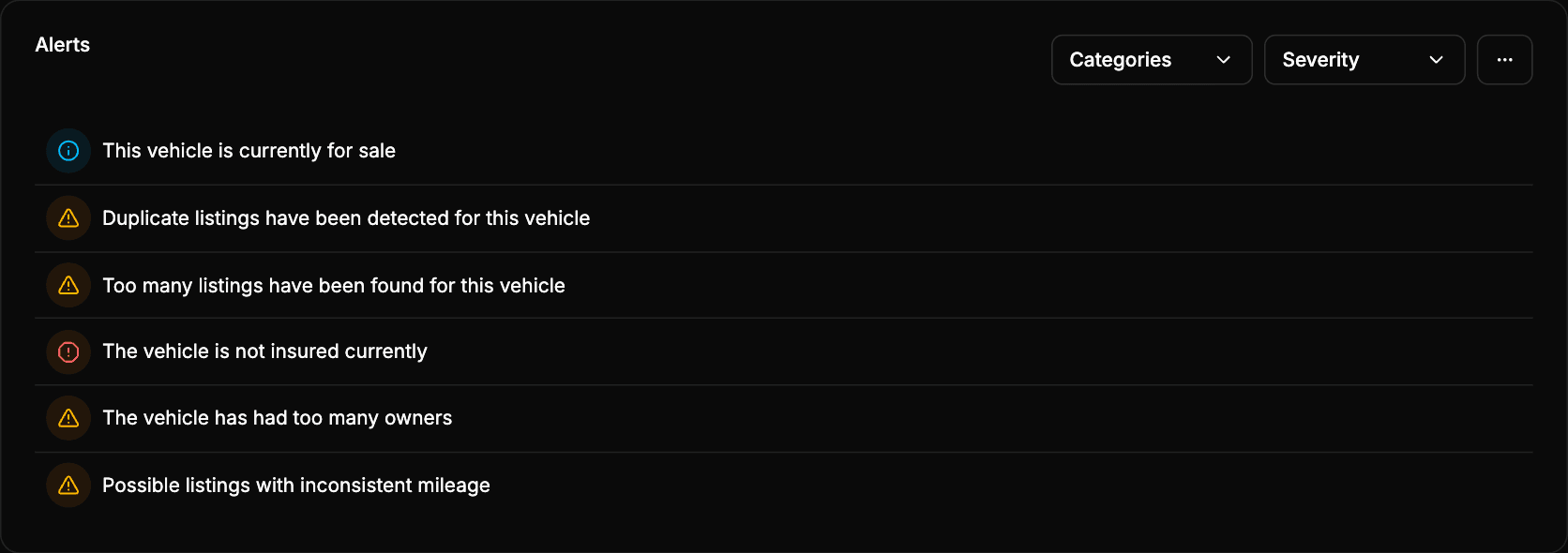
Alerts are signals detected while analyzing the vehicle that you should review before making a decision. Each alert has a severity, shown by its icon and color:
| Severity | Color | Meaning |
|---|---|---|
| Info | Blue | Useful context that does not necessarily imply a risk. |
| Warning | Amber | A signal to review: it may indicate unusual activity or data that needs checking. |
| Critical | Red | A high-risk signal. |
Use the Categories and Severity filters to focus on one area of the report or on the most important alerts. If you disable every filter, the list looks empty even if there are alerts.
Alerts that can appear
Every alert the report can show, grouped by the area of the report it comes from, with its severity and the situation that triggers it. Each alert appears only when its situation is detected, so a report usually shows just a few of them.
| Area | Alert | Severity | When it appears |
|---|---|---|---|
| Listings | The vehicle is currently for sale | Info | It has at least one active listing. |
| Listings | Duplicate listings | Warning | It has two active listings on the same portal. |
| Listings | Too many listings | Warning | It has more than 5 listings. |
| Listings | Listings with inconsistent mileage | Warning | An active listing shows more than 1,000 km less than the latest reading of the odometer. |
| Technical inspections | ITV due within 30 days | Info | Its ITV expires within the next 30 days. |
| Technical inspections | Last ITV failed | Critical | Its last inspection was unfavorable. |
| Technical inspections | Last ITV passed with defects | Warning | Its last inspection was favorable with defects. |
| Mileage | High annual mileage | Warning | It covers more than 25,000 km per year on average since it was registered. |
| Mileage | Unusually low annual mileage | Info | It covers less than 5,000 km per year on average since it was registered. |
| Mileage | Possible mileage manipulation | Warning | A reading of the odometer is lower than the previous one. |
| Owners | Too many owners | Warning | It has had more than 3 owners. |
| Owners | Recent owner change | Warning | The current owner has had it for less than 60 days. |
| Legal status | Permanently deregistered | Critical | It has a permanent deregistration in force. |
| Legal status | Temporarily deregistered | Warning | It has a temporary deregistration in force. |
| Legal status | Deregistered temporarily for too long | Warning | It had a temporary deregistration that lasted more than 4 months. |
| Legal status | Possibly imported from another country | Warning | The official register records a first registration date, which usually means it was first registered in another country. |
| Safety | Not insured currently | Critical | It has no insurance in force, and it is not permanently deregistered. |
| Safety | Low Euro NCAP rating | Warning | Its Euro NCAP rating is lower than 4 stars. |
| Valuation | High depreciation | Warning | It has lost more than 70 % of its original value. |
How to use the alerts
- Start with the Warning and Critical alerts.
- Open the section of the report related to each alert to check the data behind it.
- Read the alerts together: one cause can trigger several of them.
An alert is a signal to review, not proof of a problem: a duplicate listing, for example, can be a legitimate repost. And the absence of alerts does not guarantee that there is no risk.